Messenger Settings
Go to https://yourdomain.com/admin/messenger/settings (opens in a new tab)
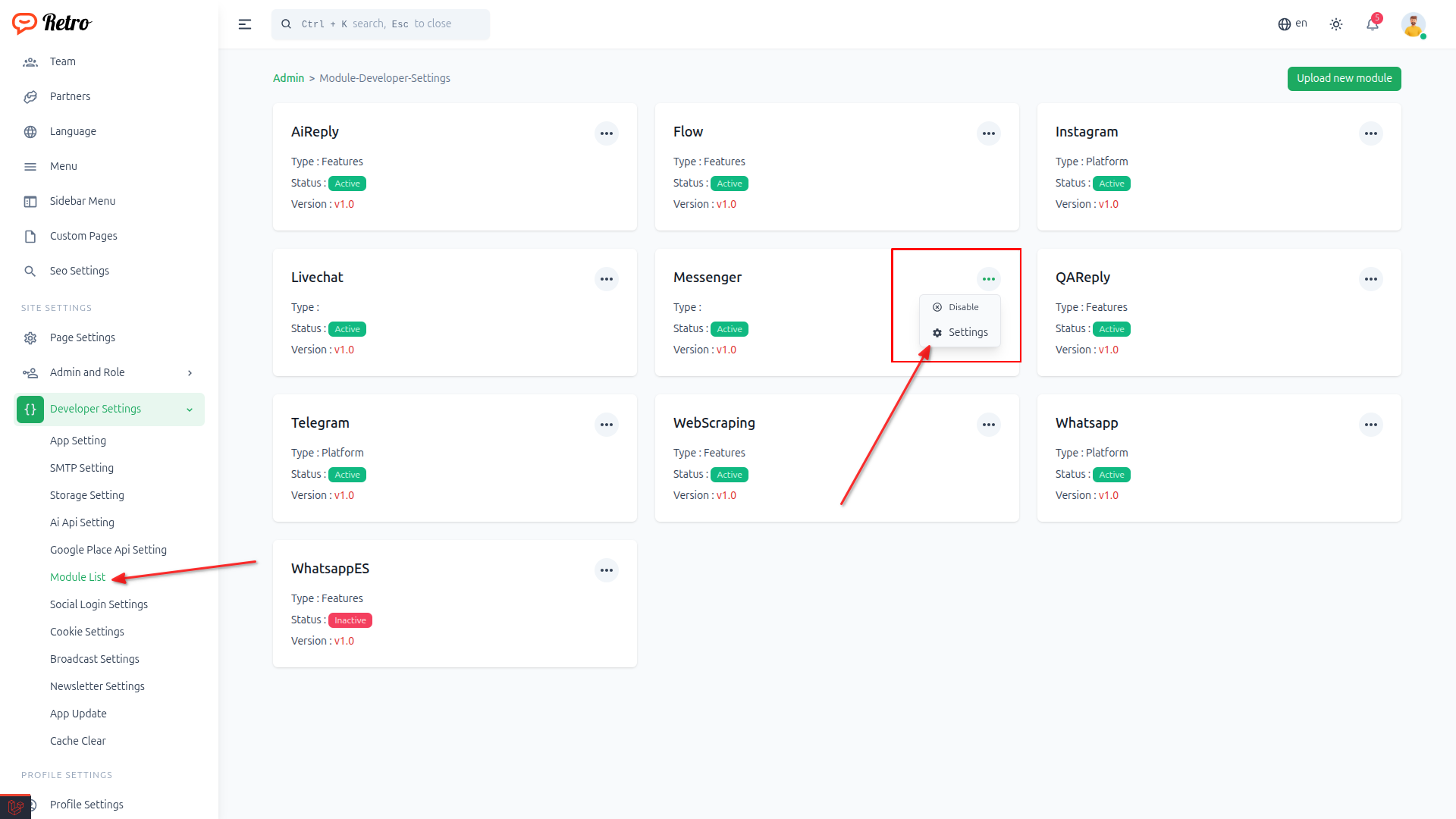
Or navigate to Developer Settings > Module List and click the Messenger Settings option.
Navigate to Module List and click Messenger Settings
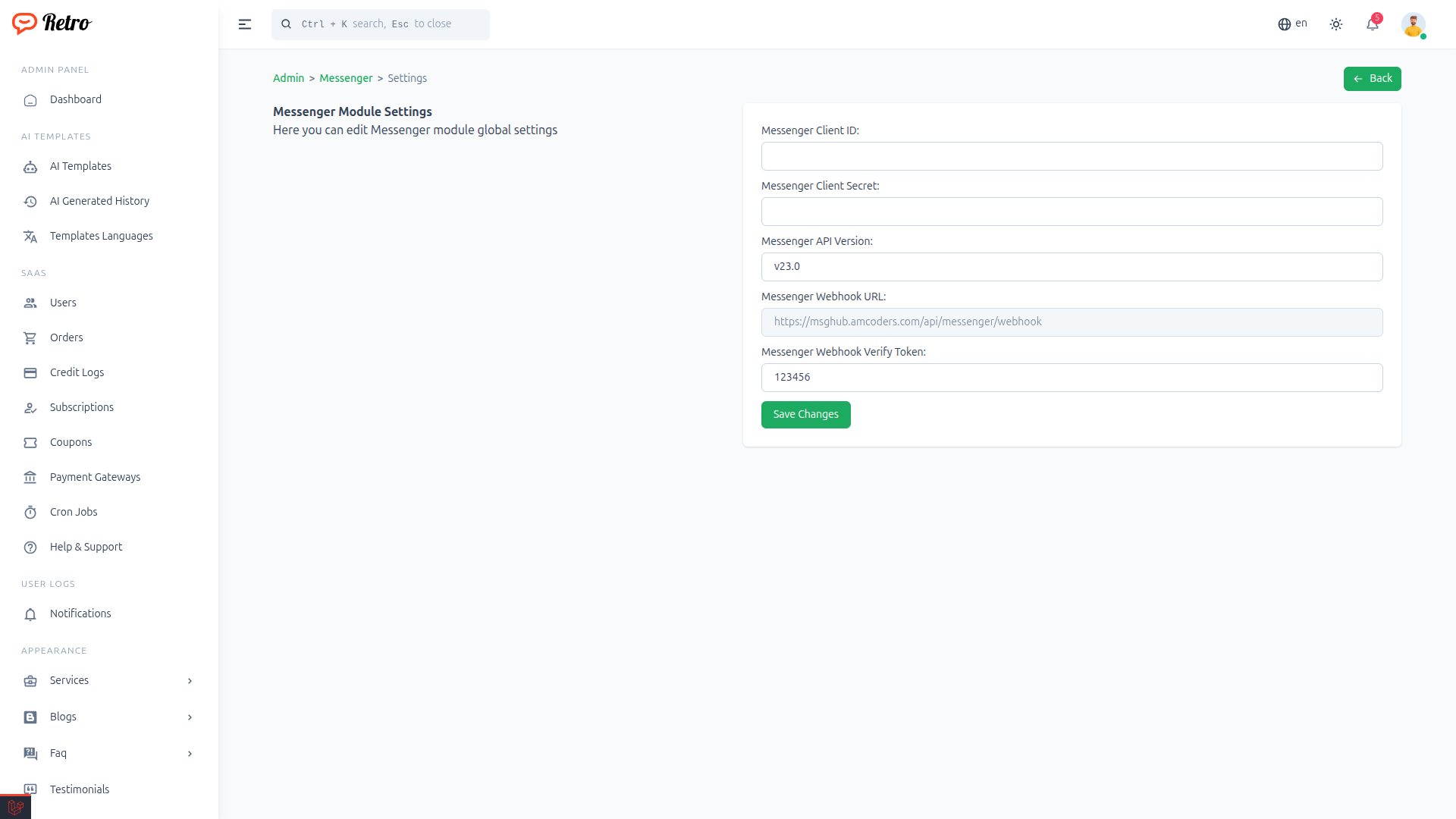
Messenger Module Settings page
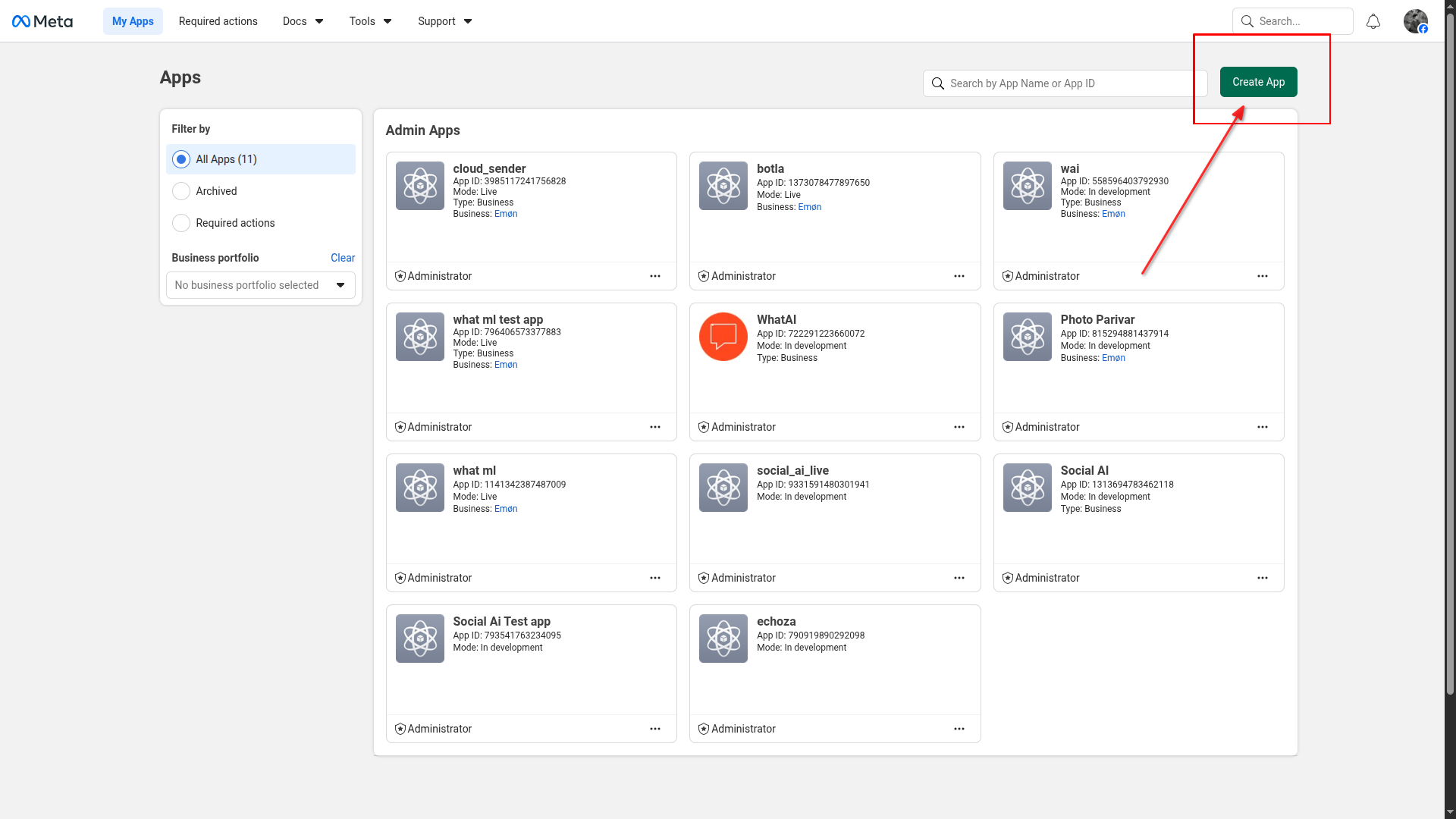
Login on developers.facebook.com (opens in a new tab) and click Create App
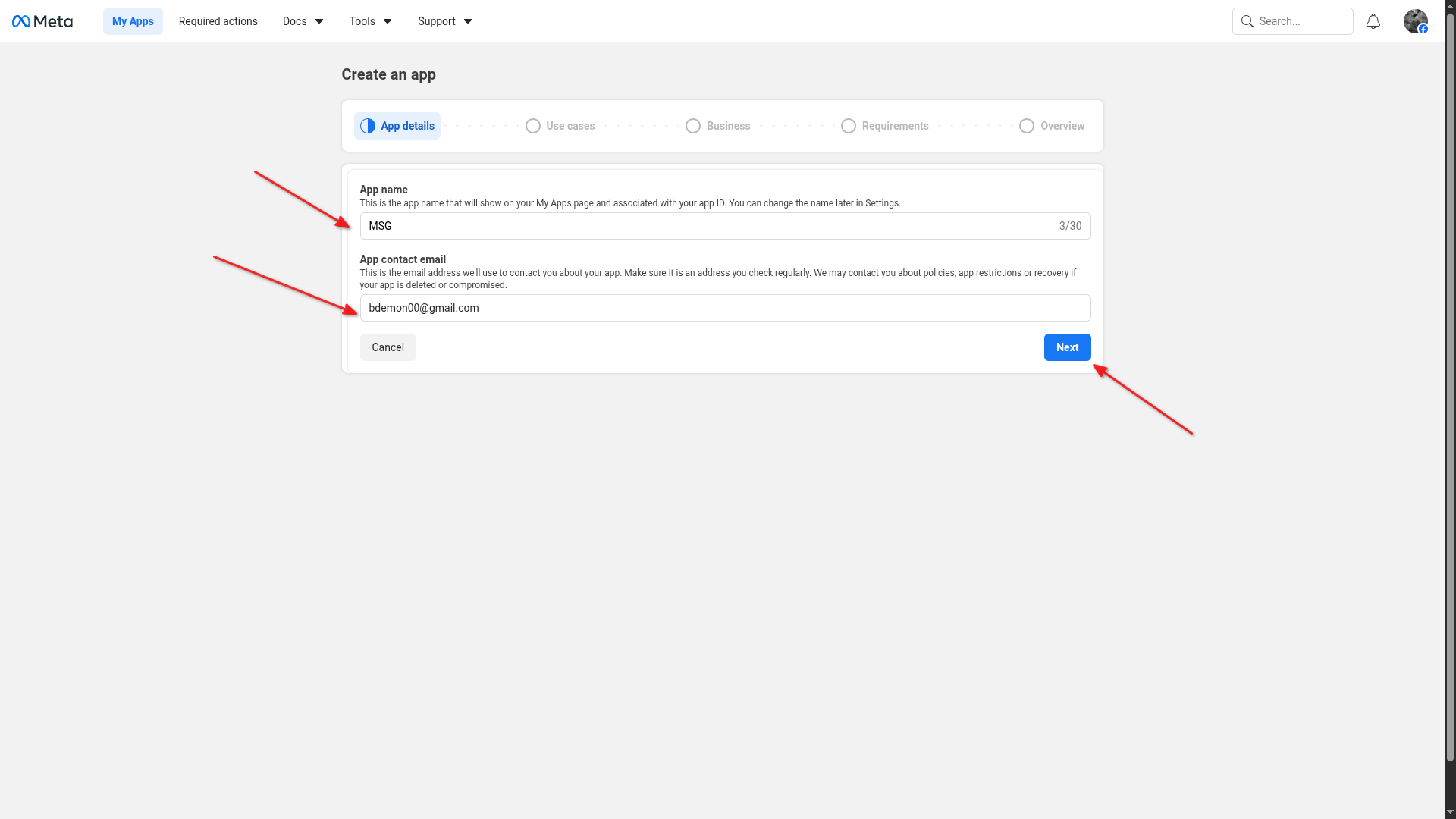
Enter your app name and contact email
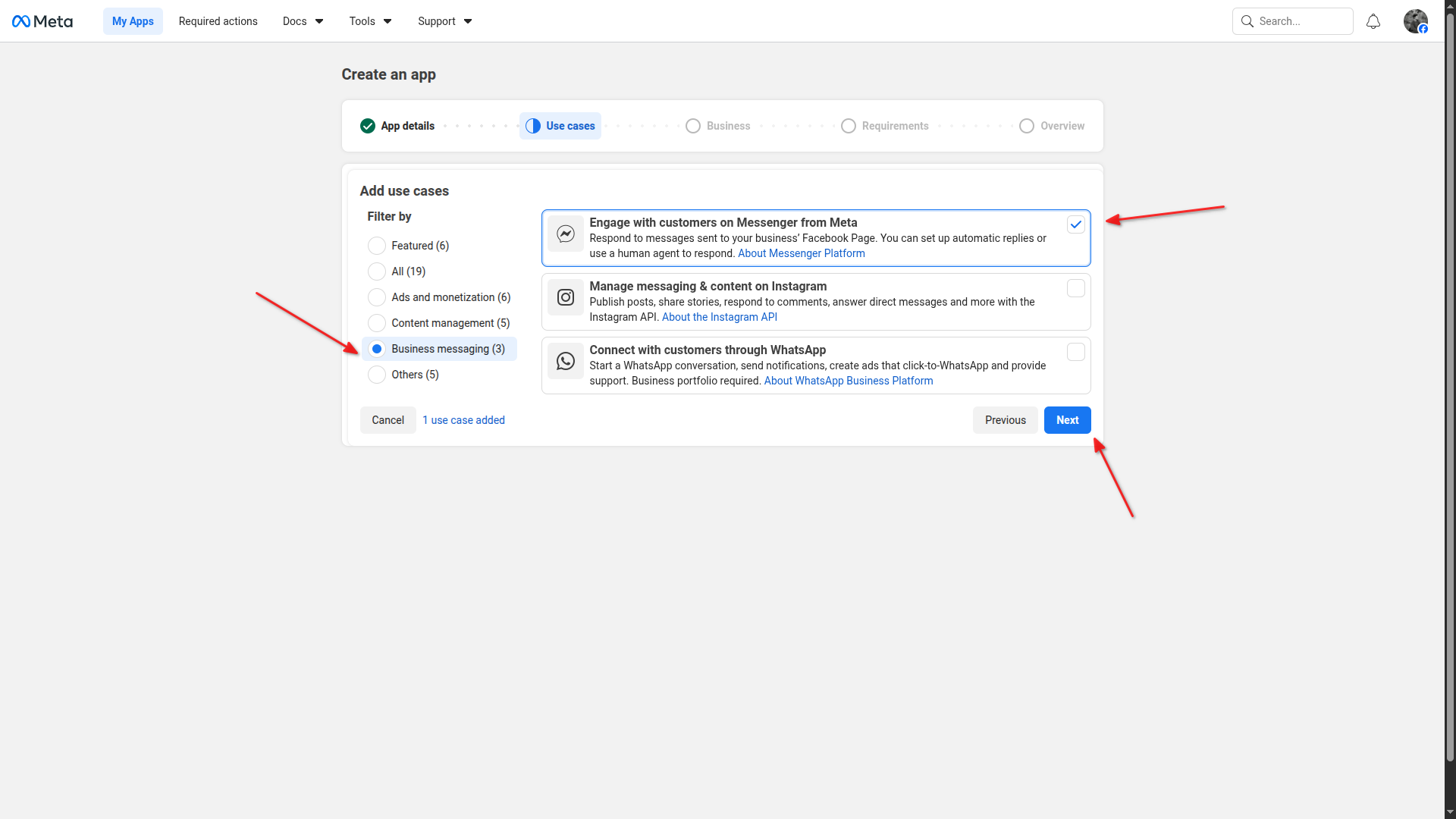
Select "Engage with customers on Messenger from Meta" as use case
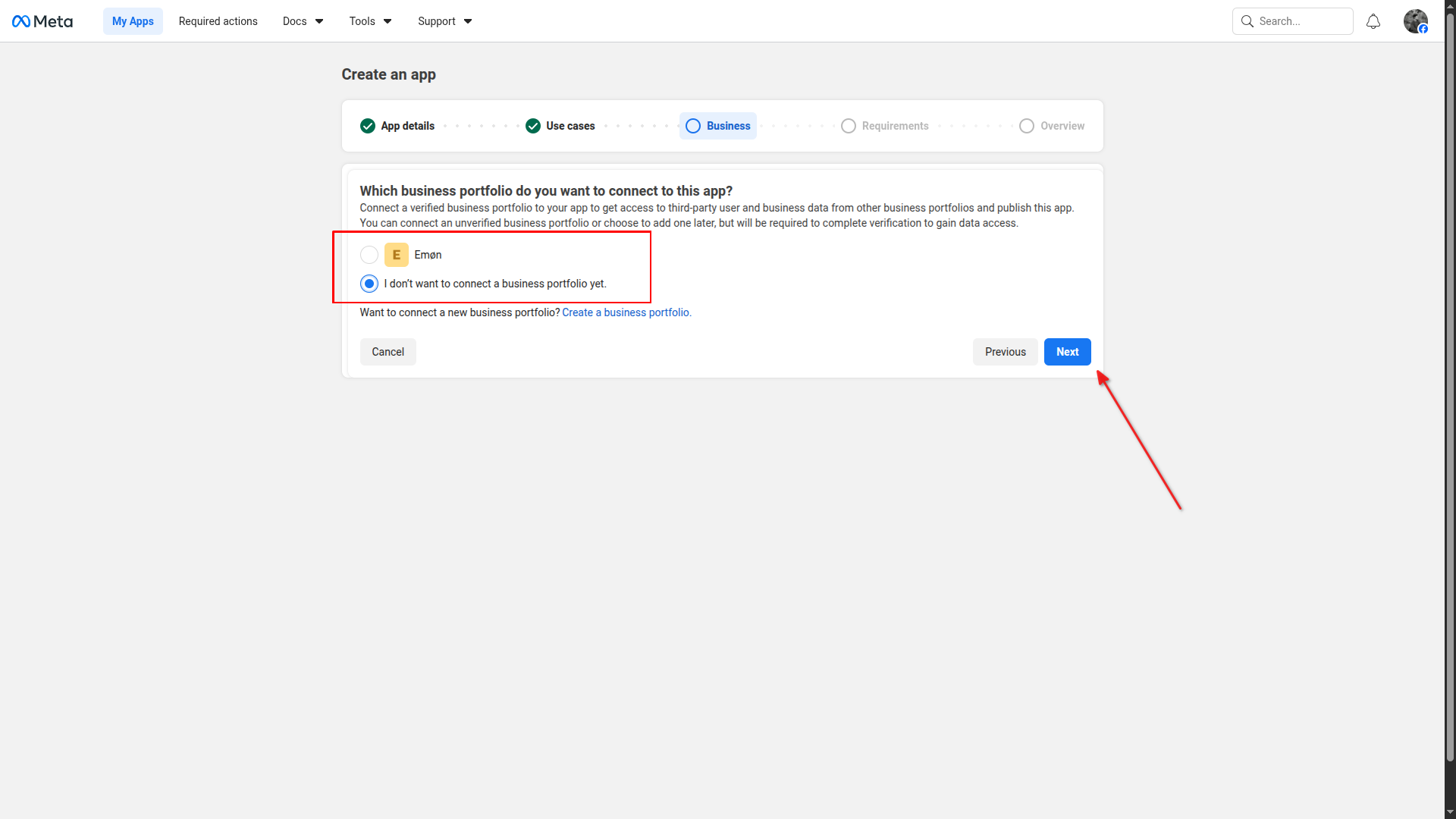
Connect your business portfolio (optional)
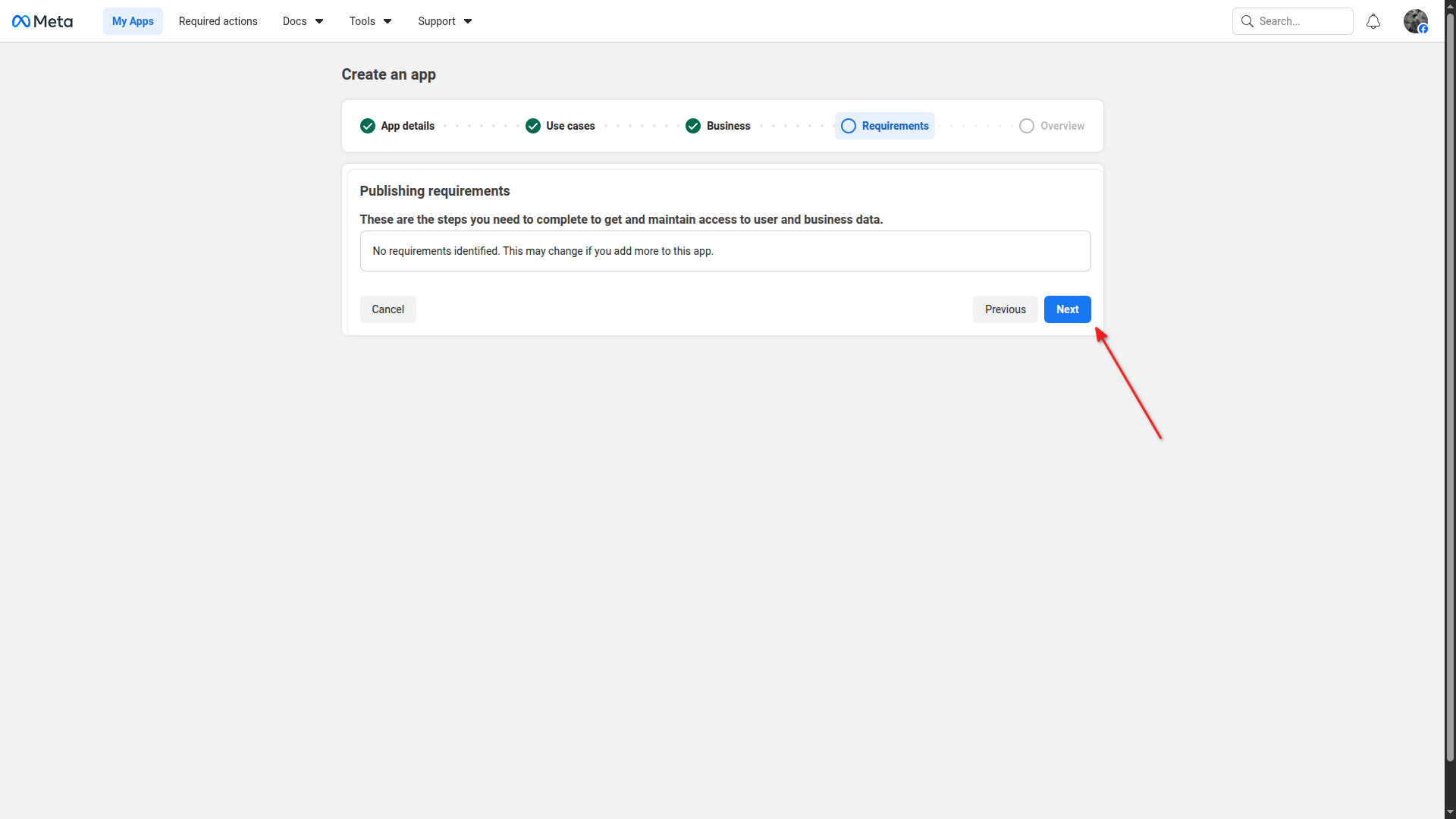
Complete the requirements step
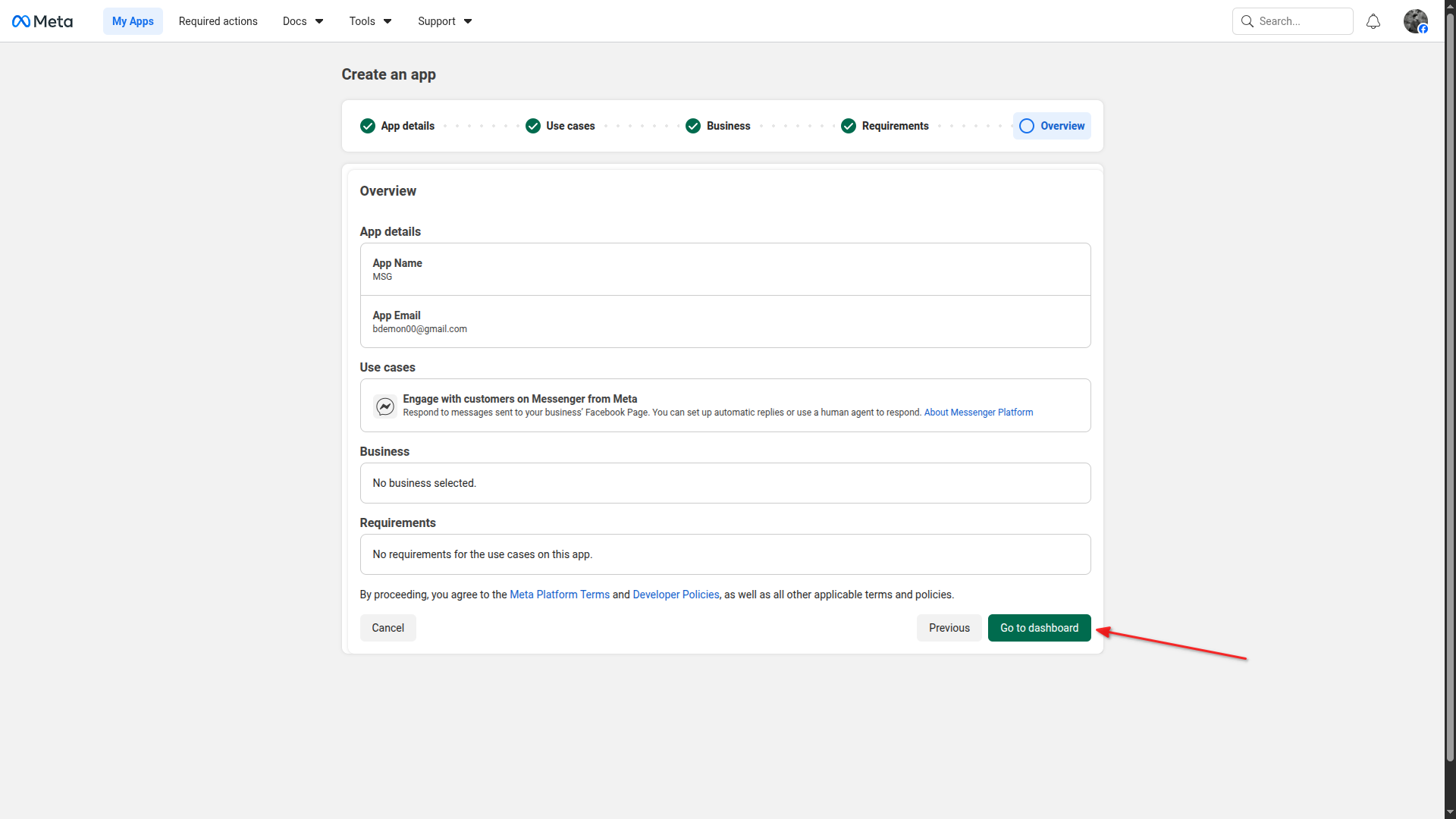
Review the app overview and go to dashboard
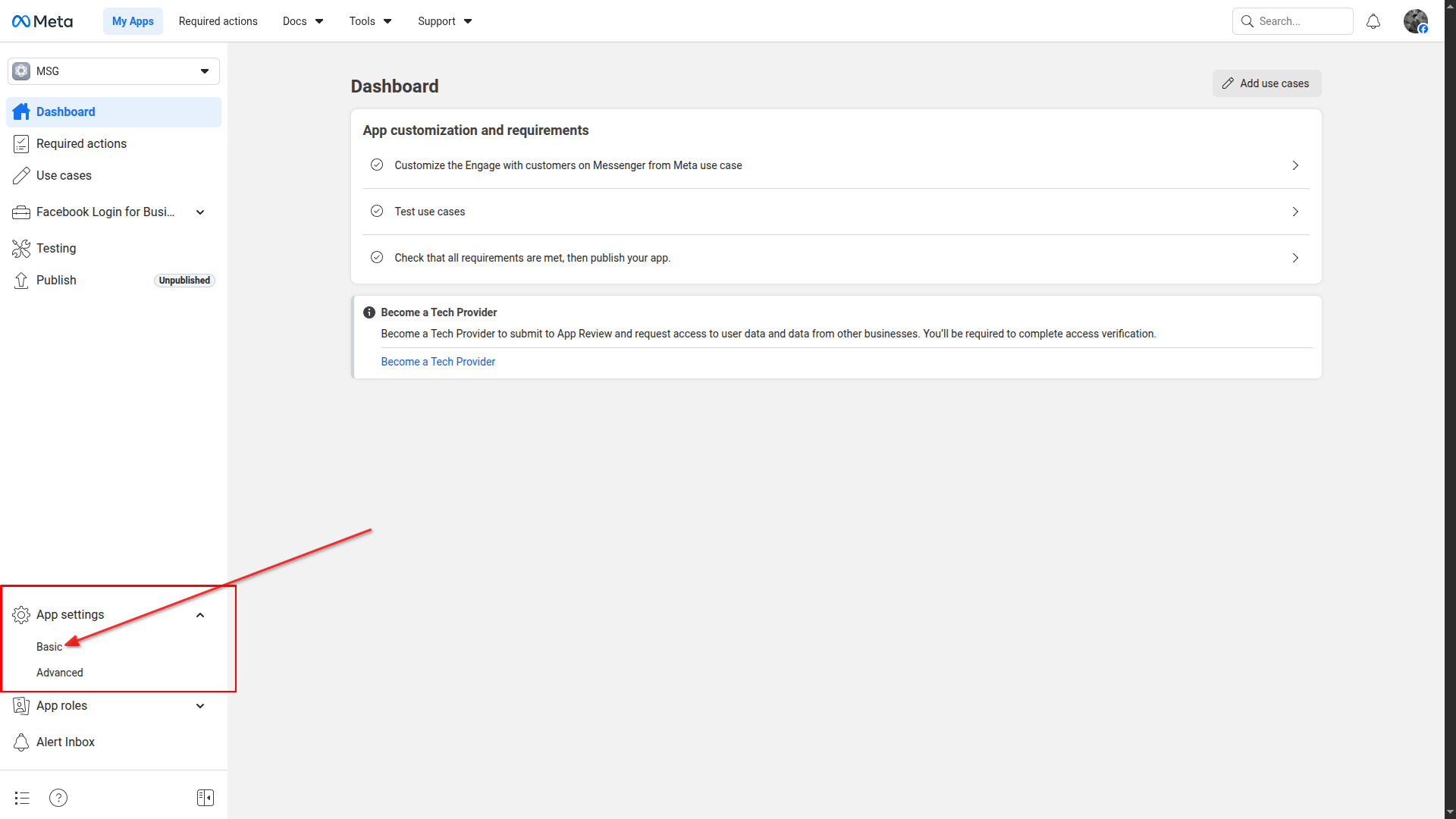
Go to App Settings > Basic
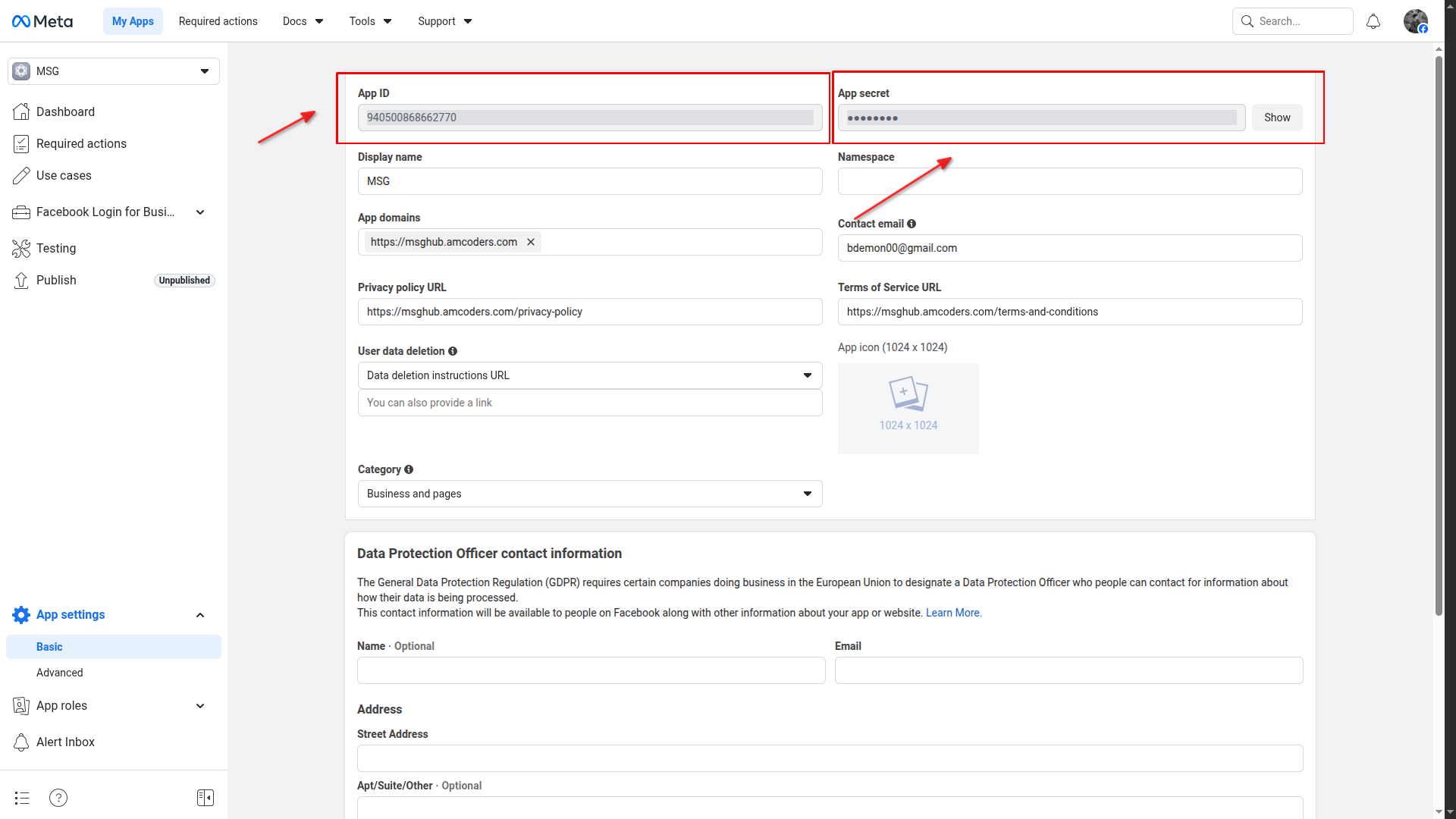
Copy App ID and App Secret
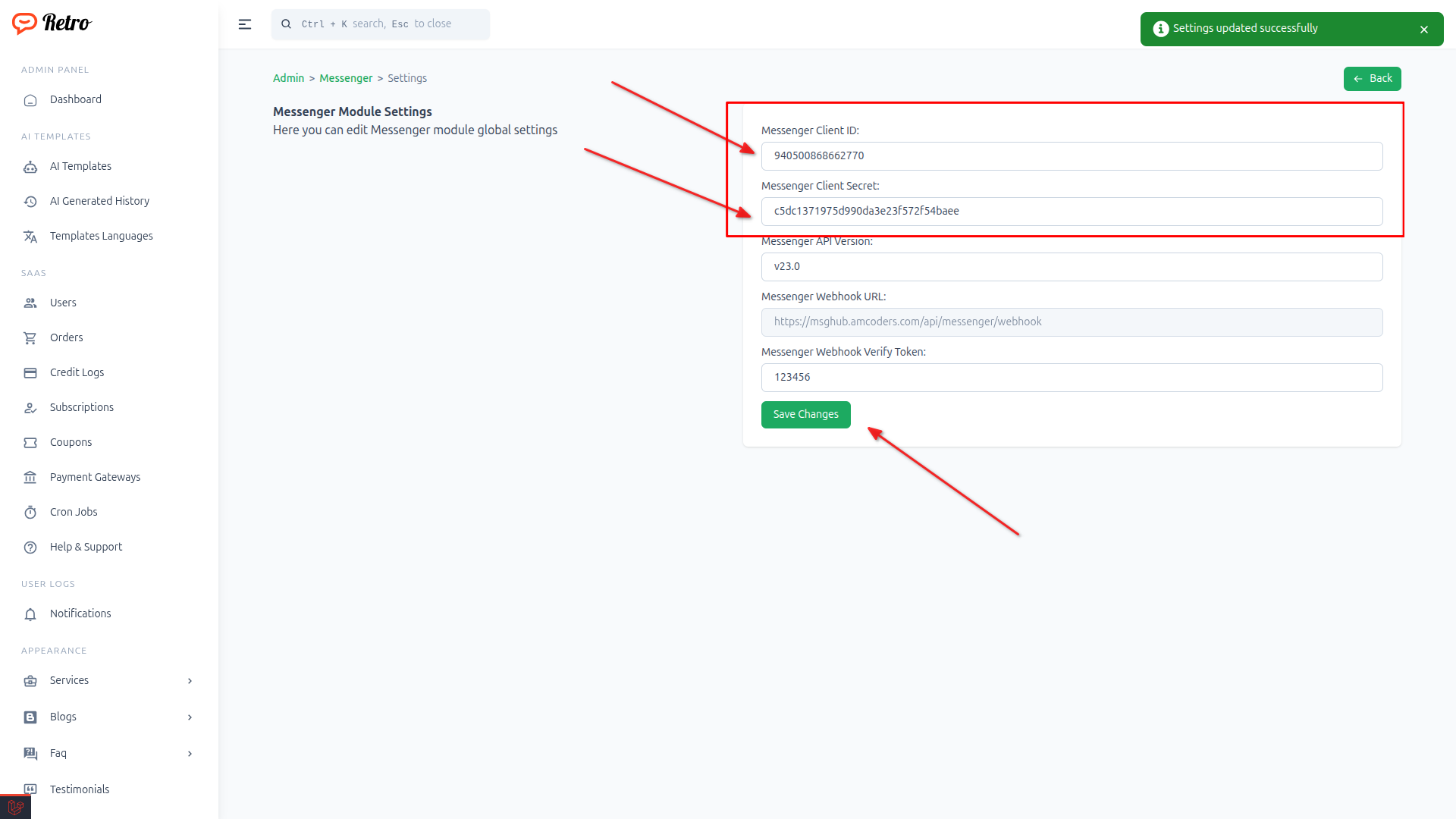
Paste App ID and App Secret in Messenger settings
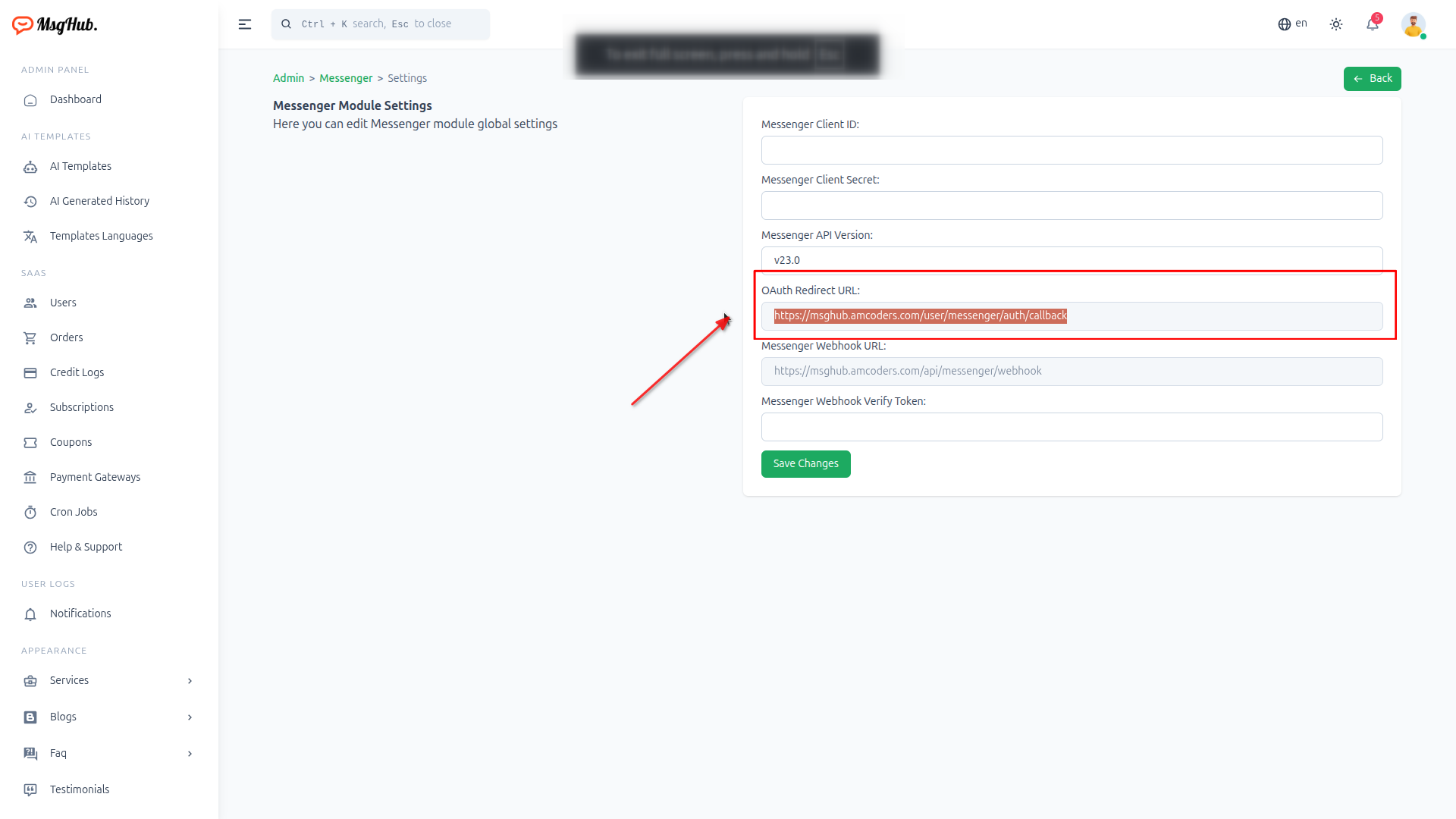
Copy OAuth Redirect Url
Paste in Valid OAuth Redirect URIs
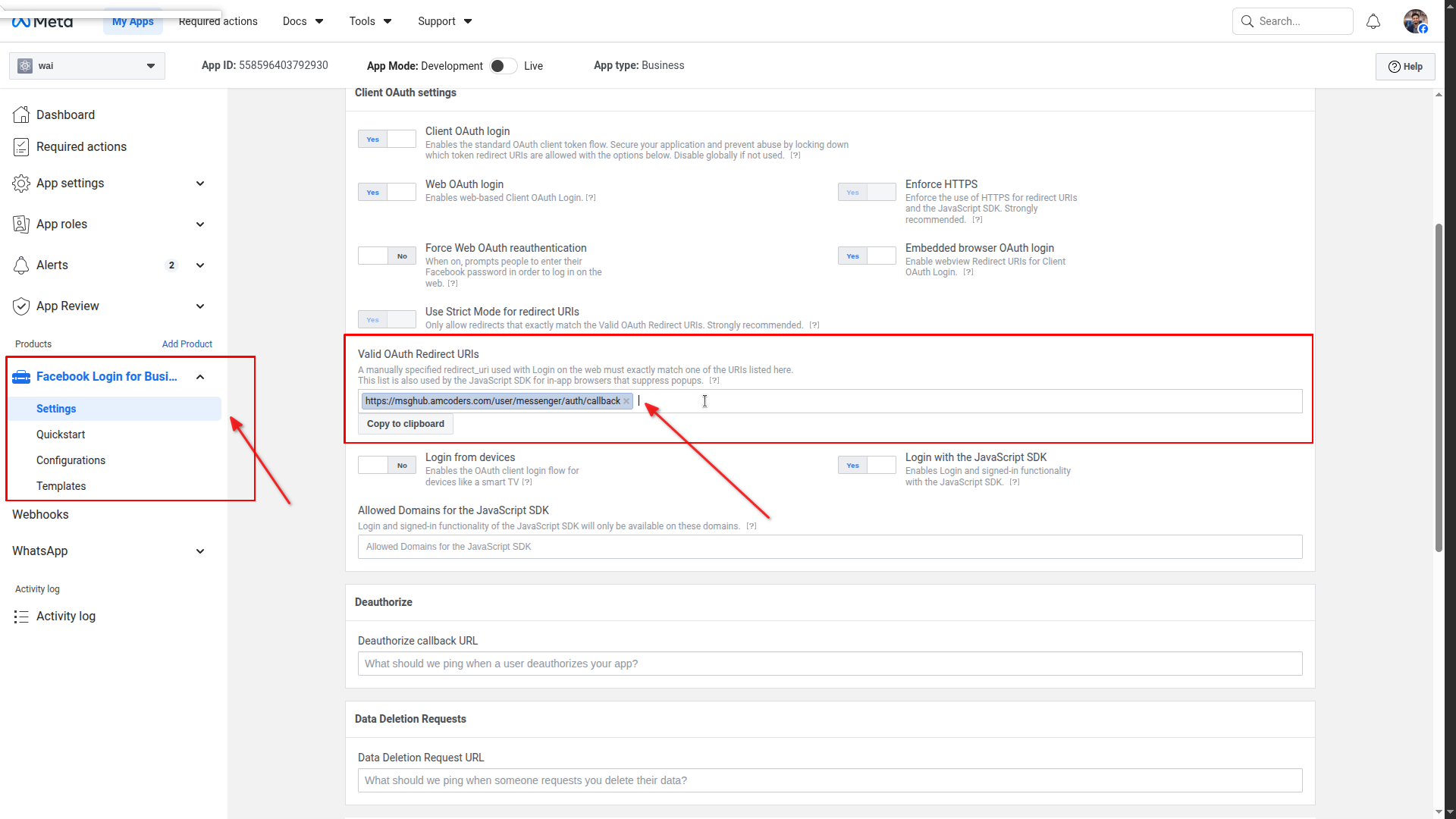
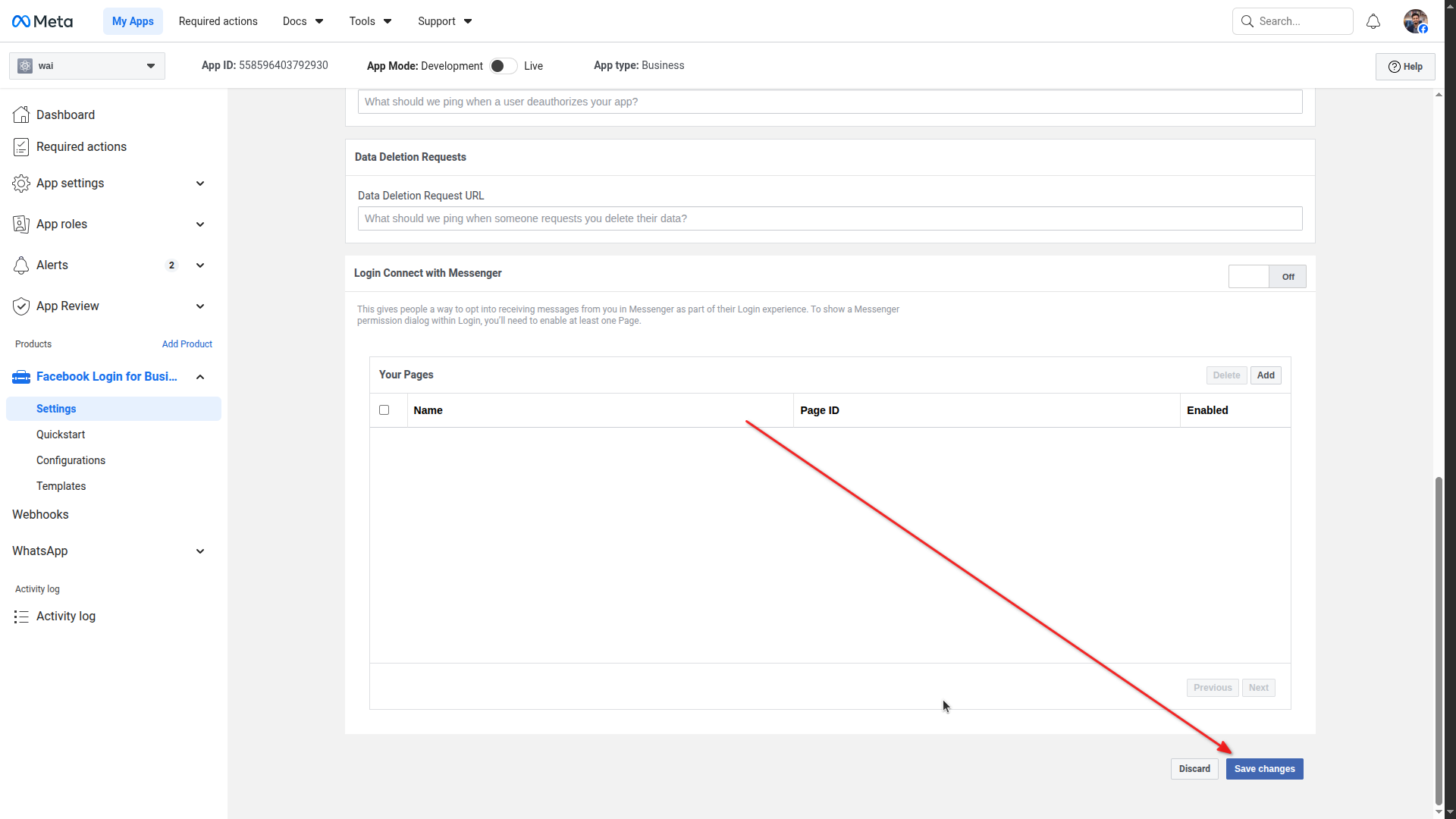
Scroll down and save settings
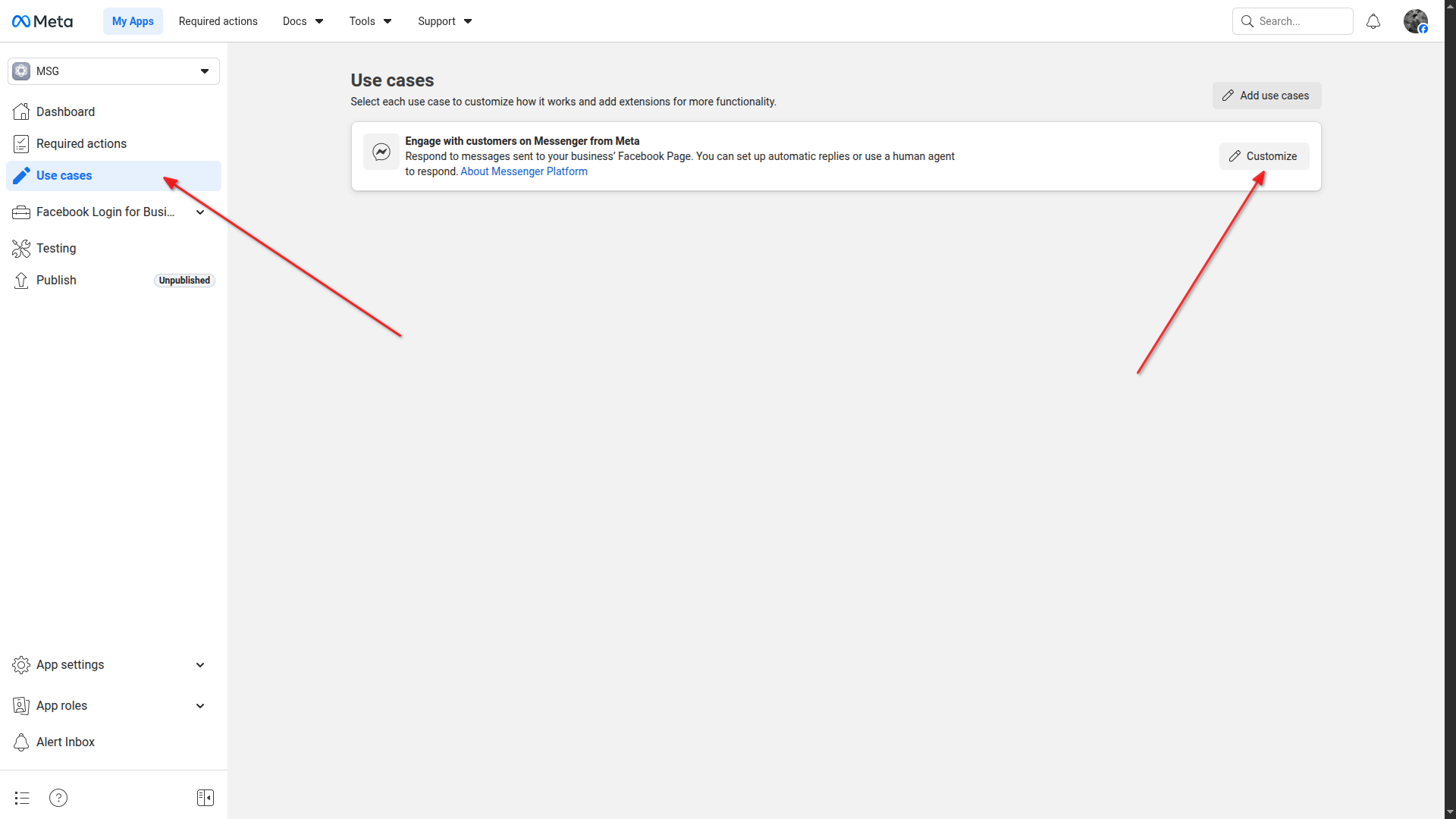
Go to Use cases and click Customize
Messenger API Setup - Configure webhooks section
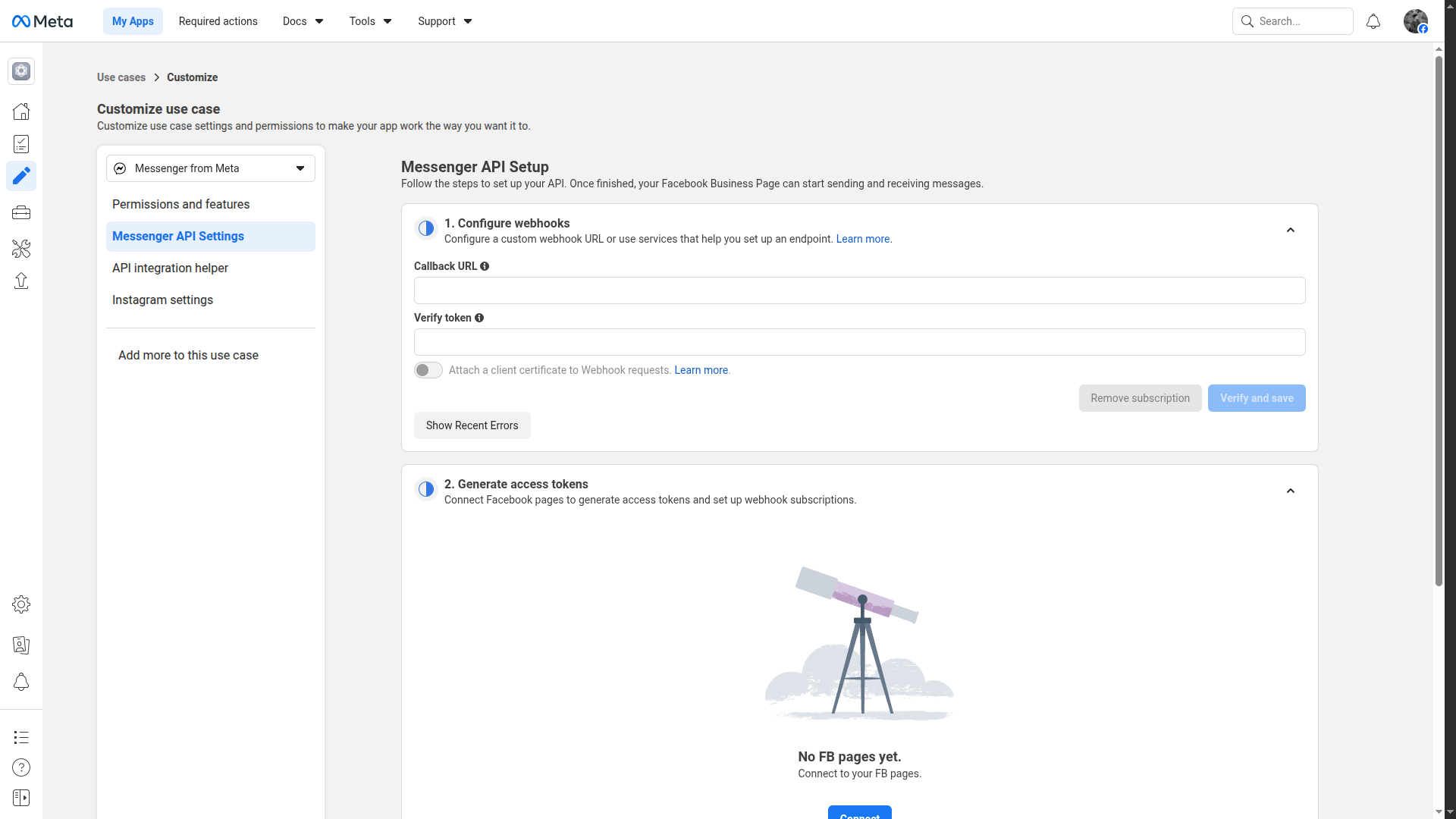
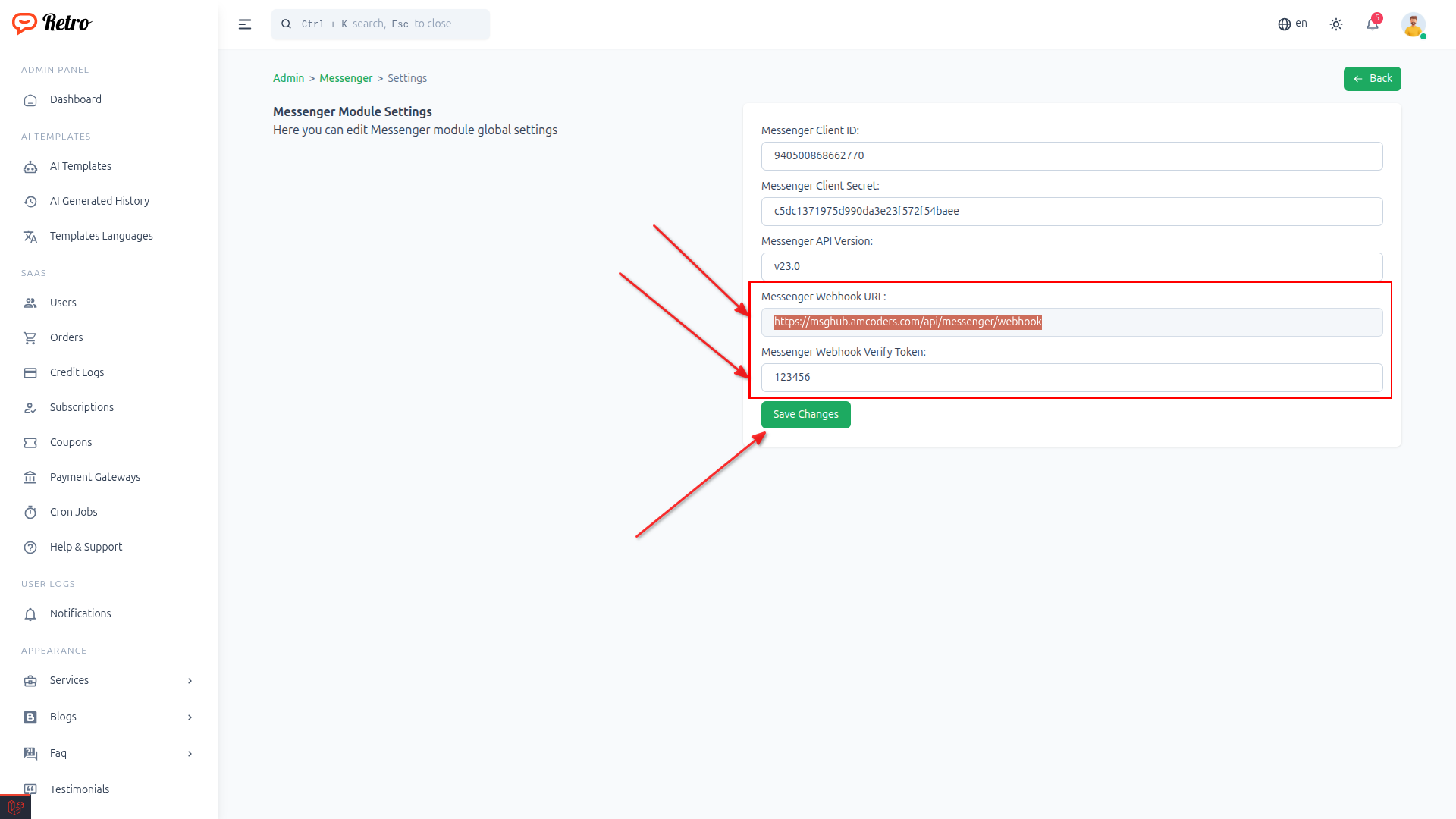
Copy webhook URL and verify token from settings
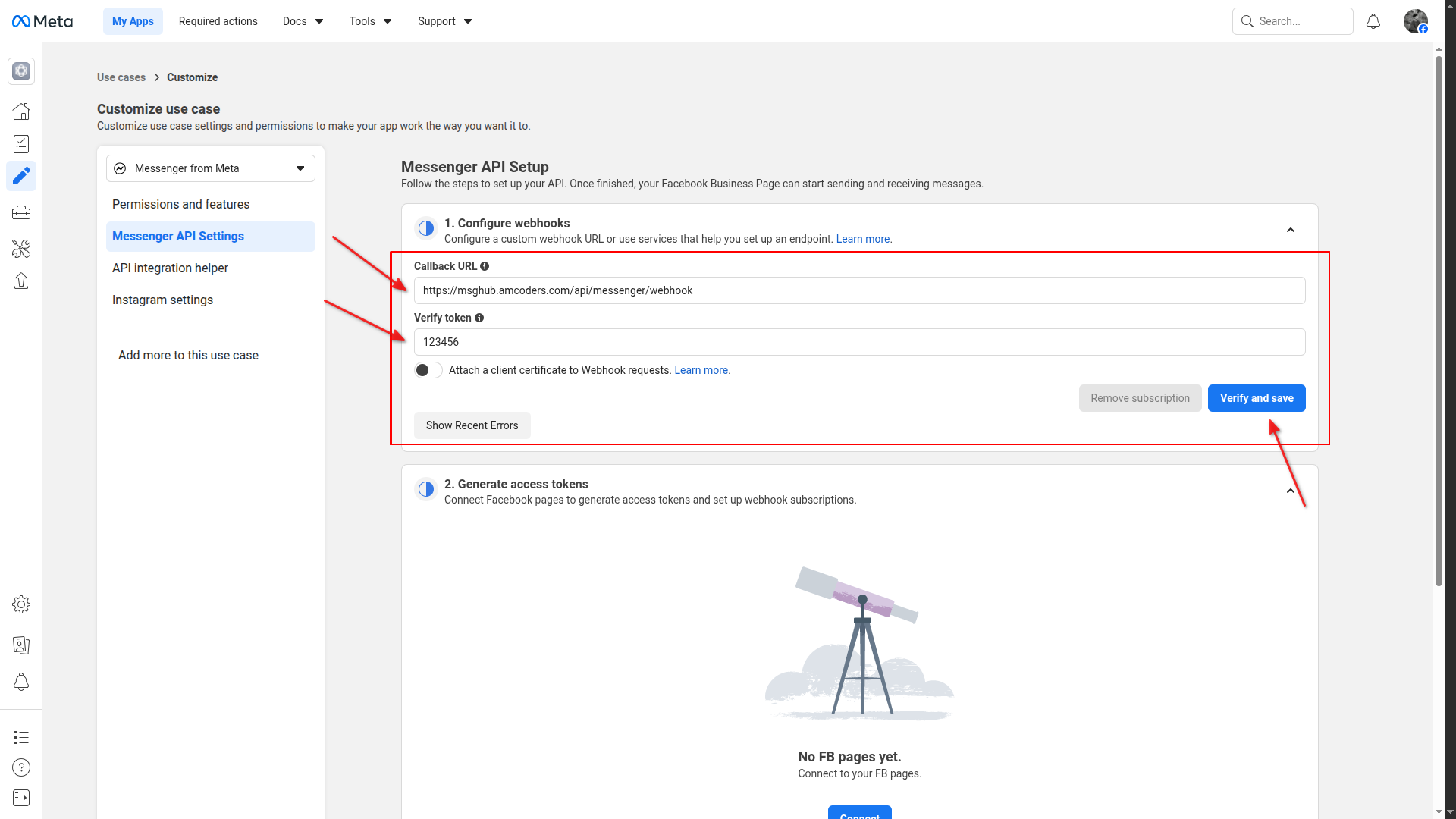
Paste webhook URL and verify token, then click Verify and save
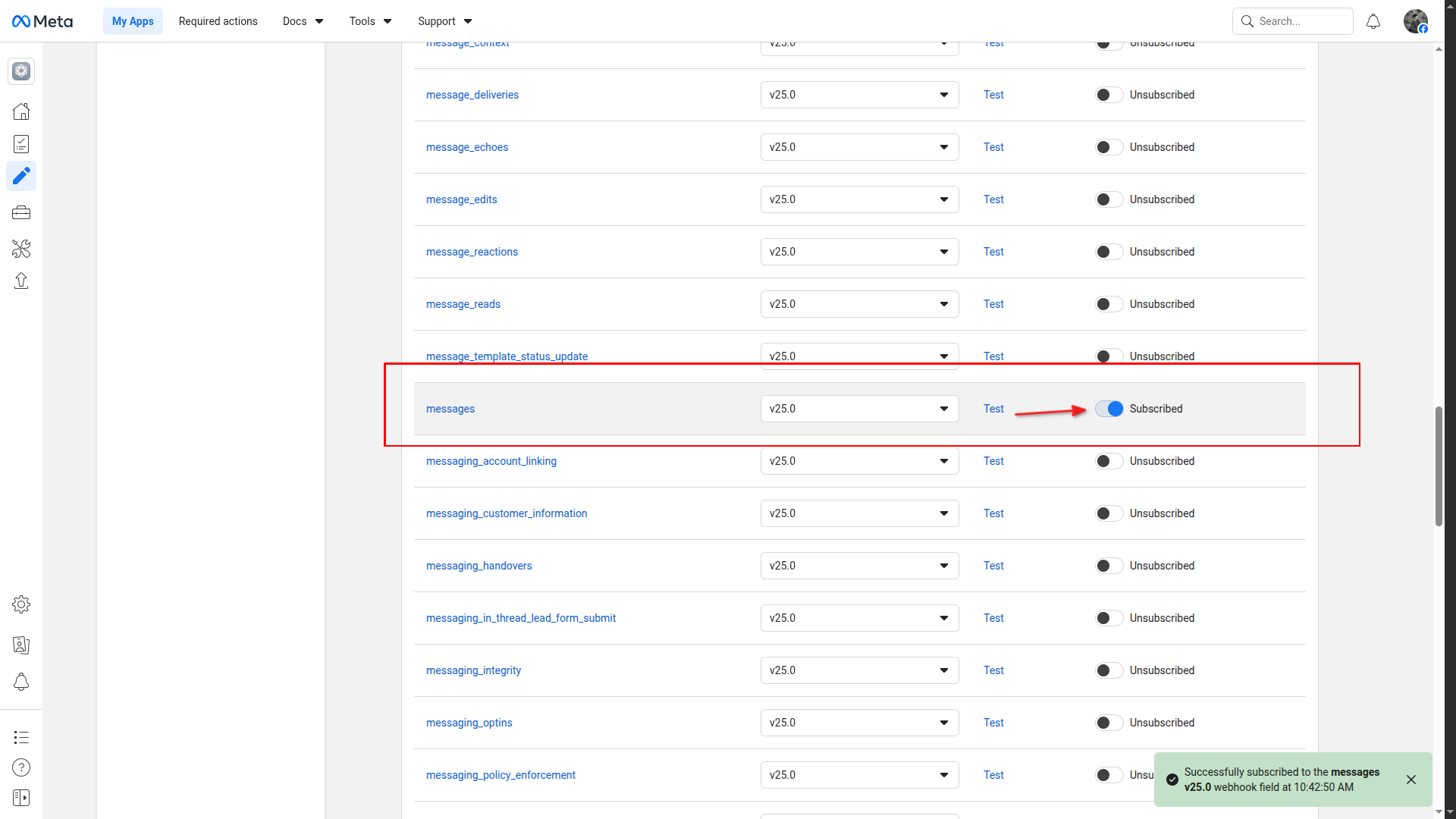
Subscribe to "messages" webhook event
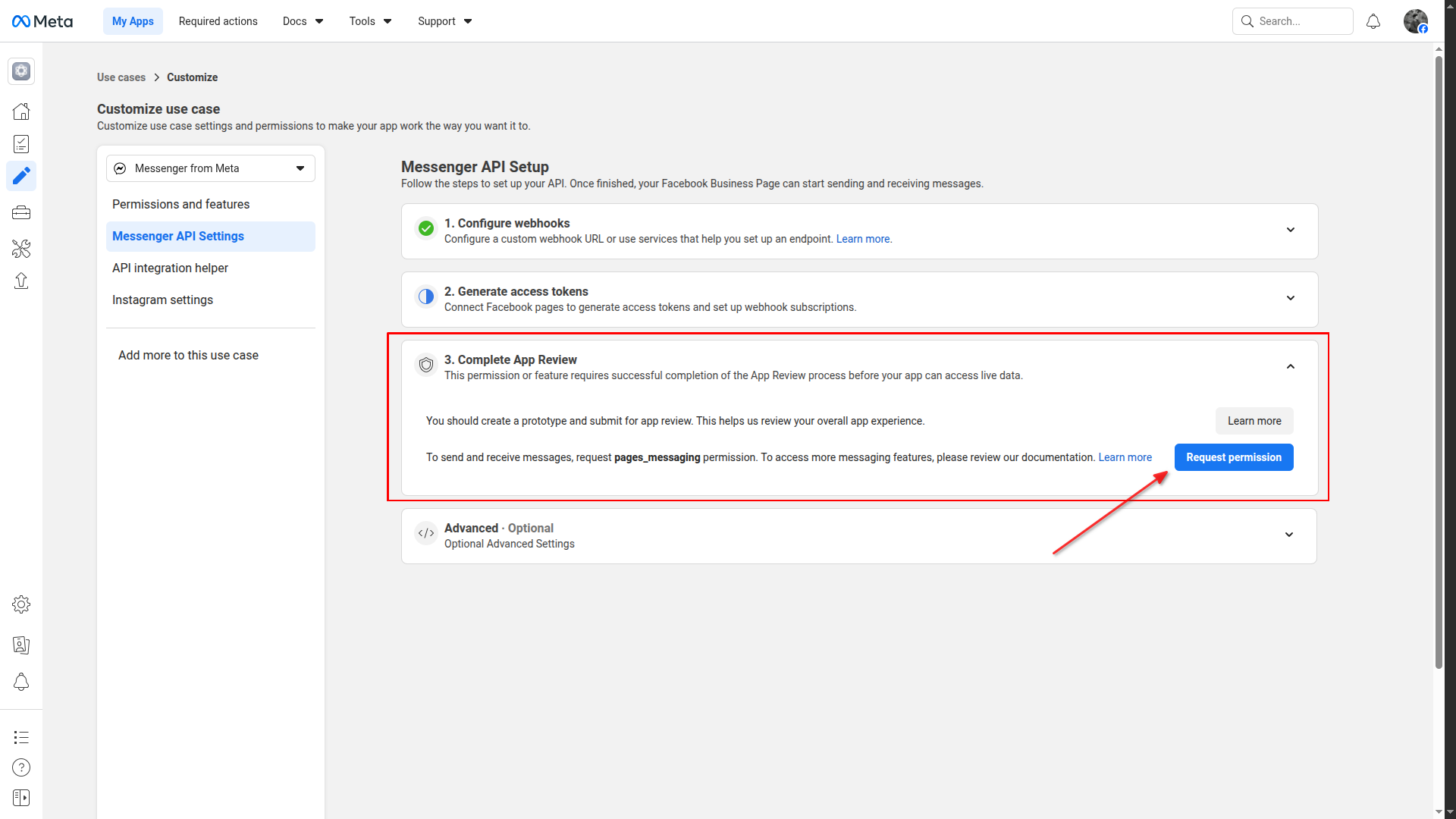
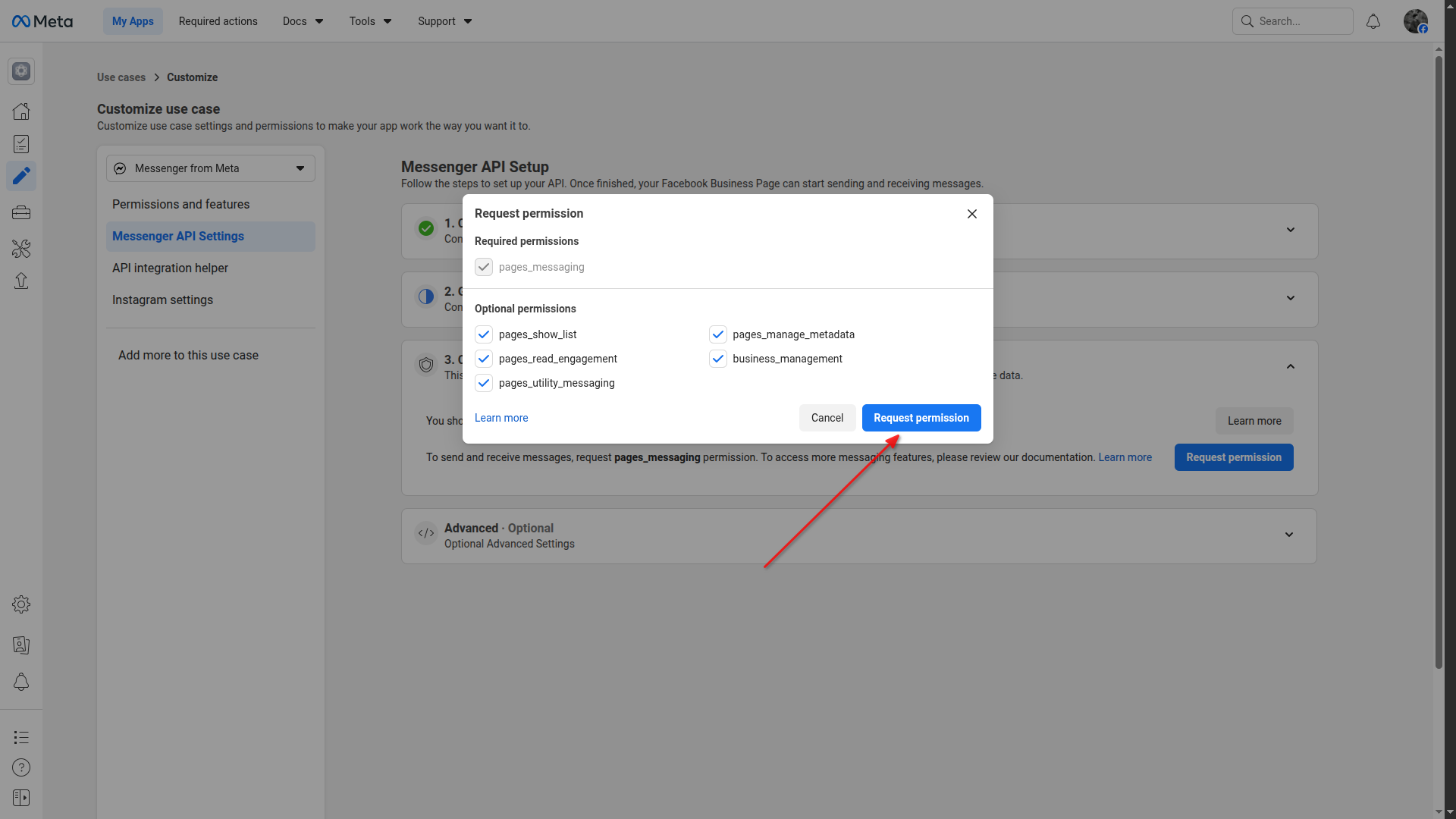
Click Request permission in Complete App Review section
Select permissions and click Request permission
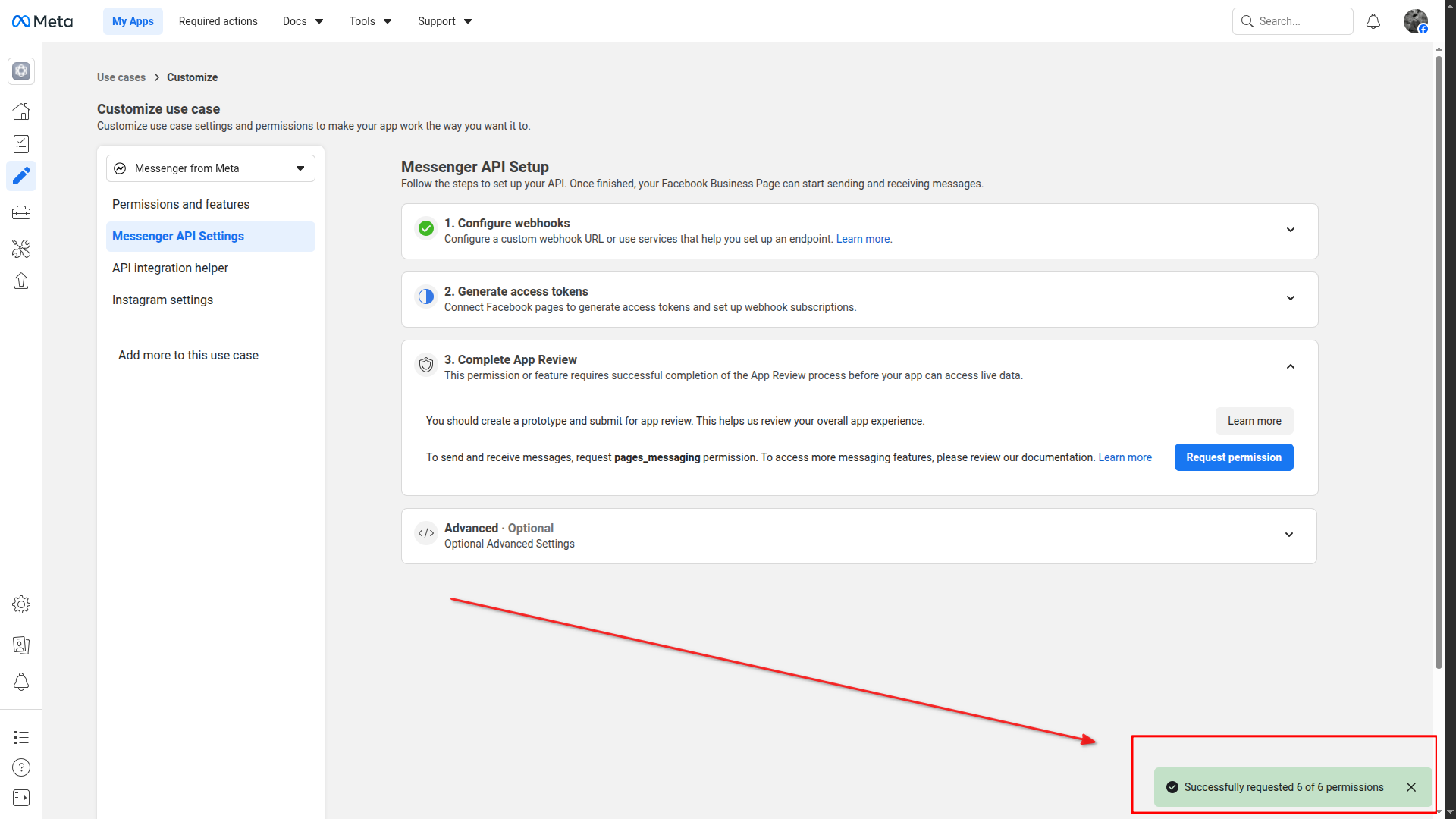
Permissions successfully requested
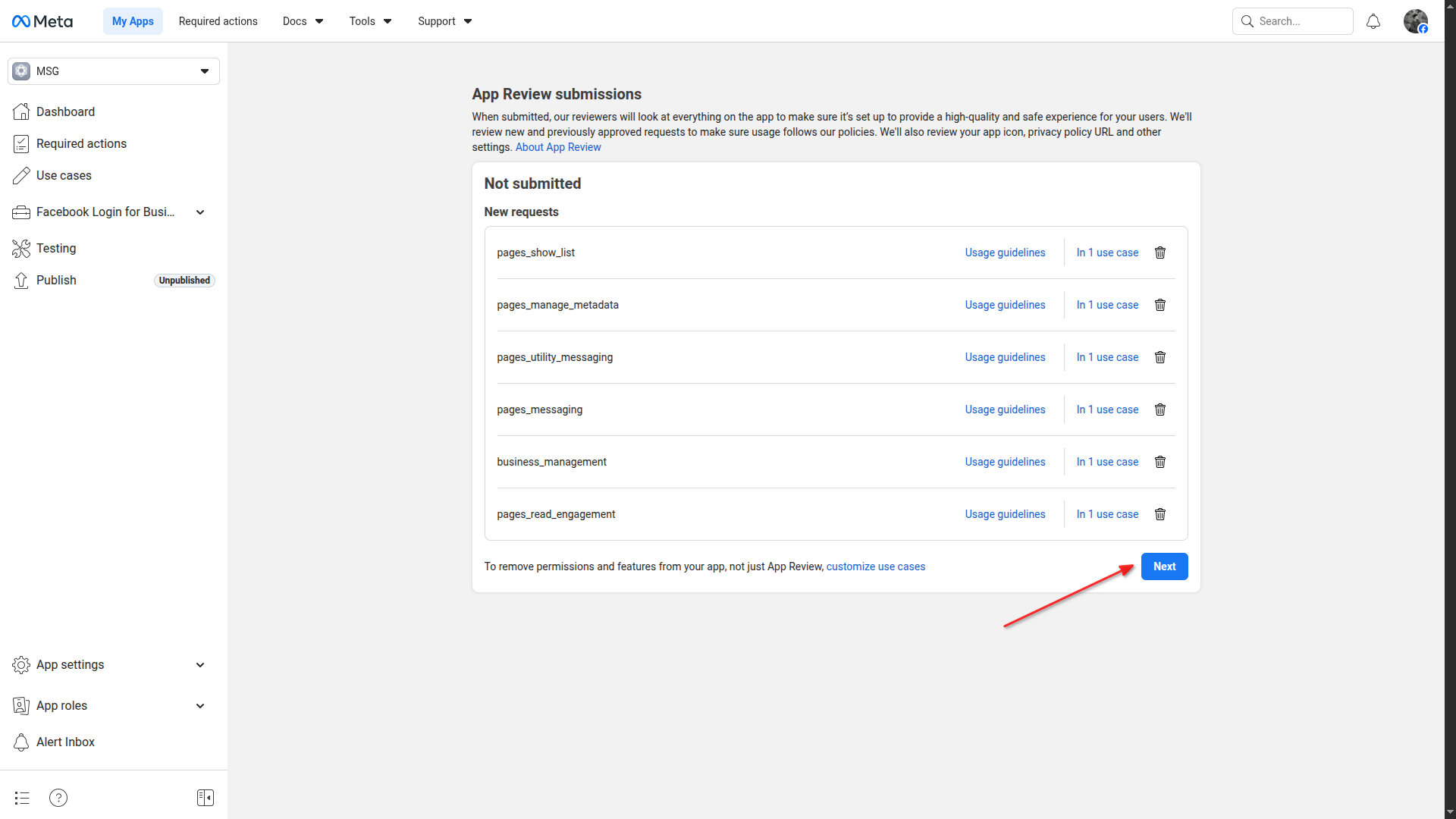
Go to App Review submissions and click Next
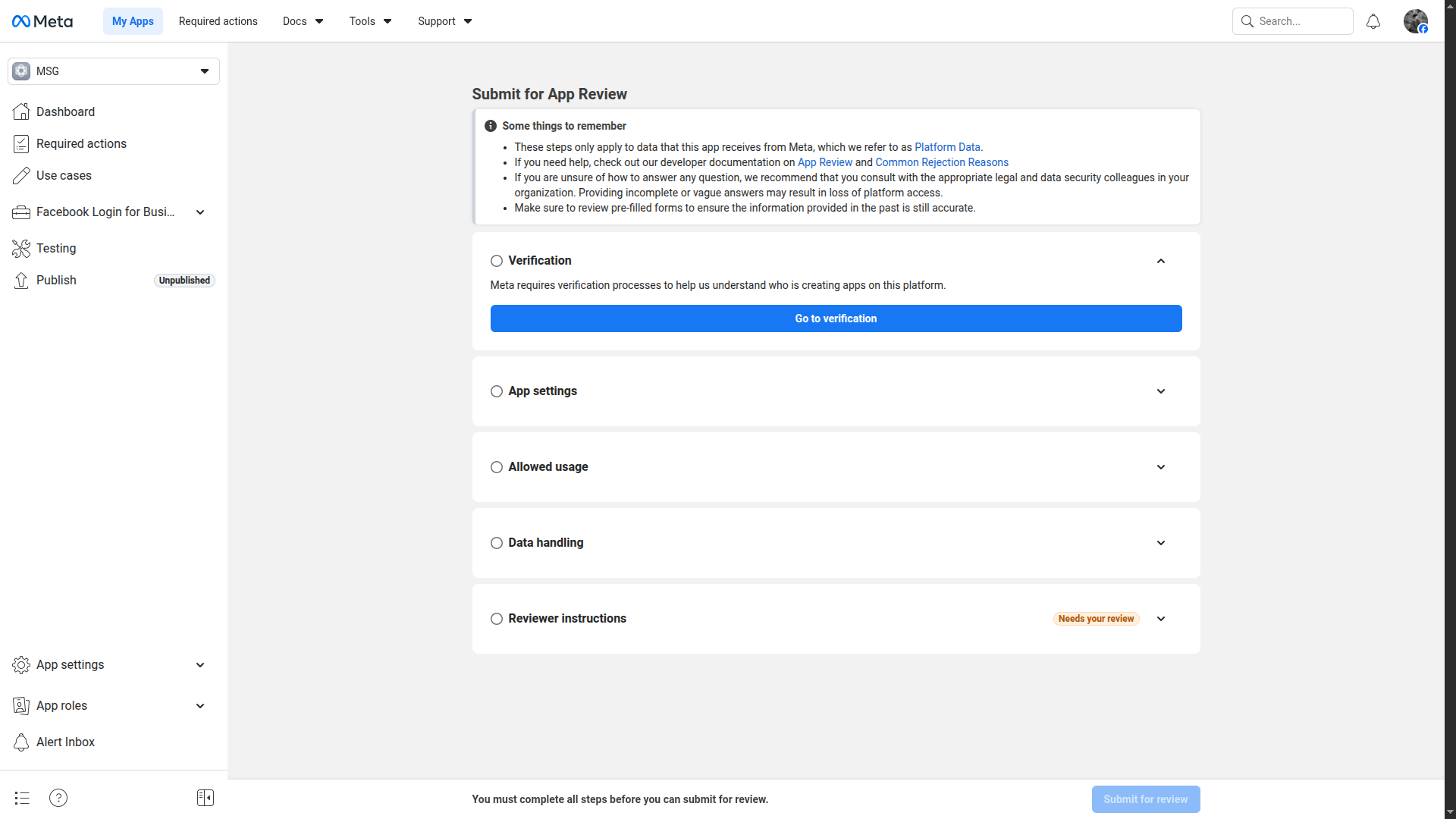
Complete the App Review submission form
Navigate to Publish section
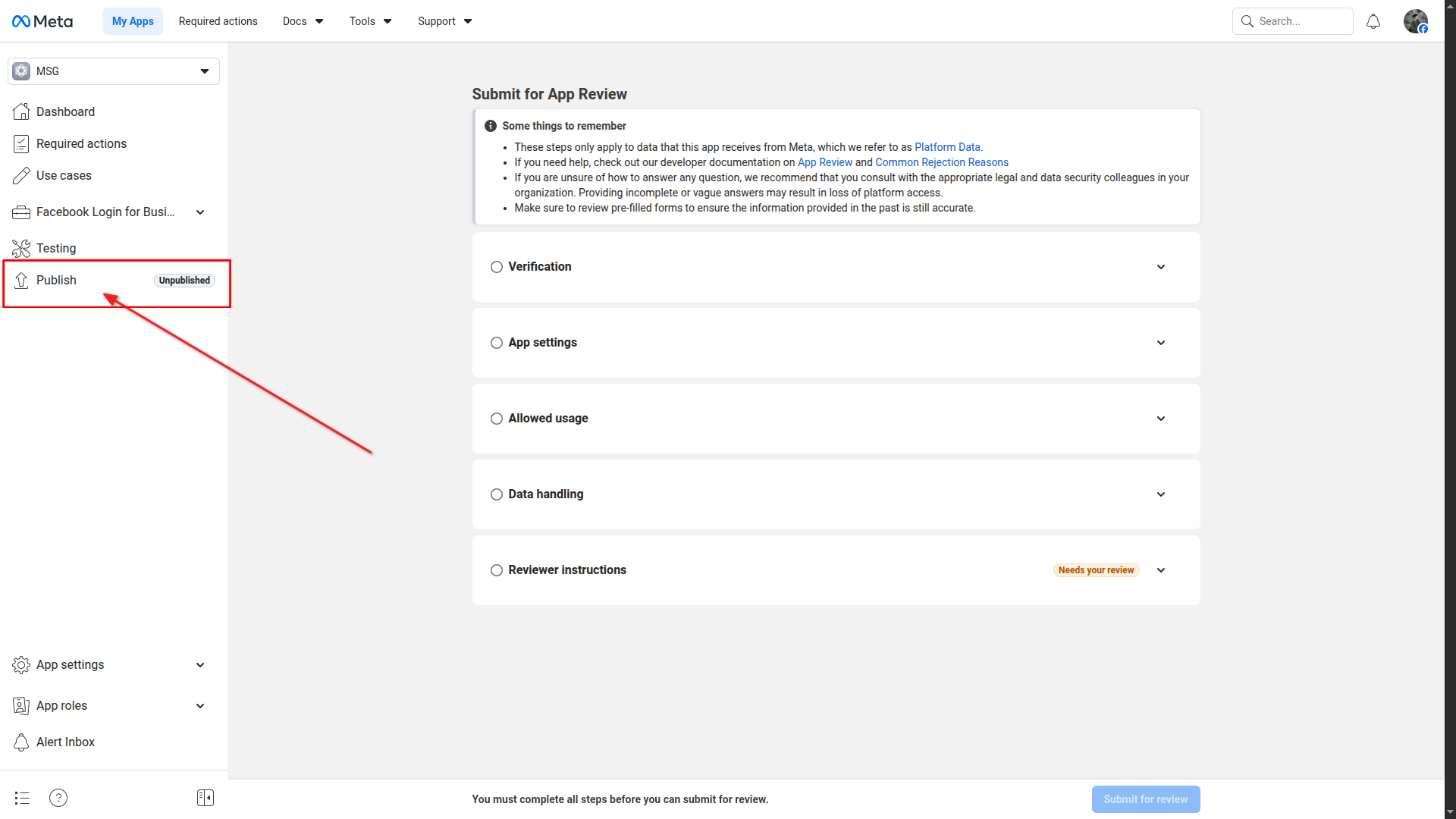
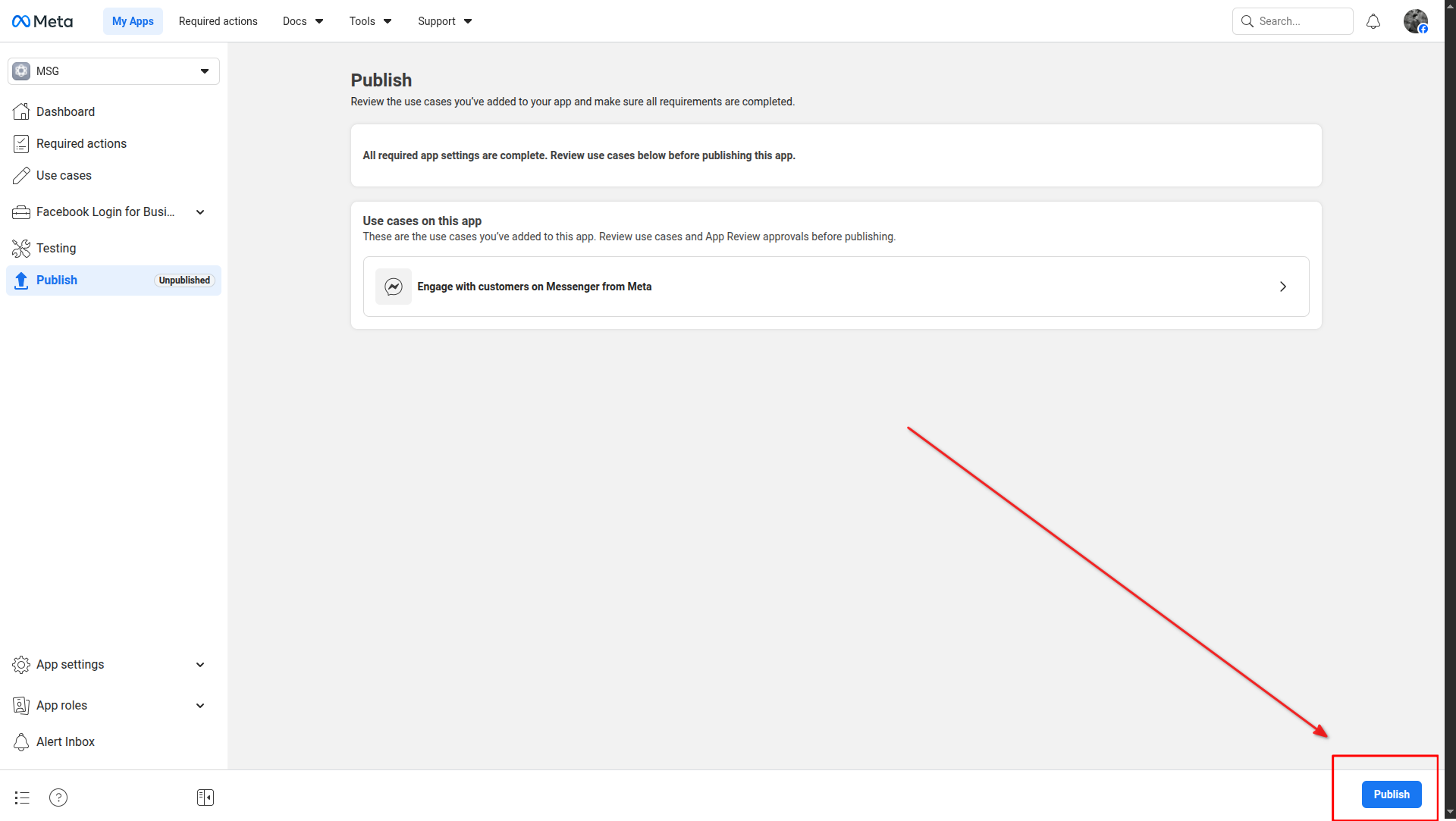
Click Publish to publish the app
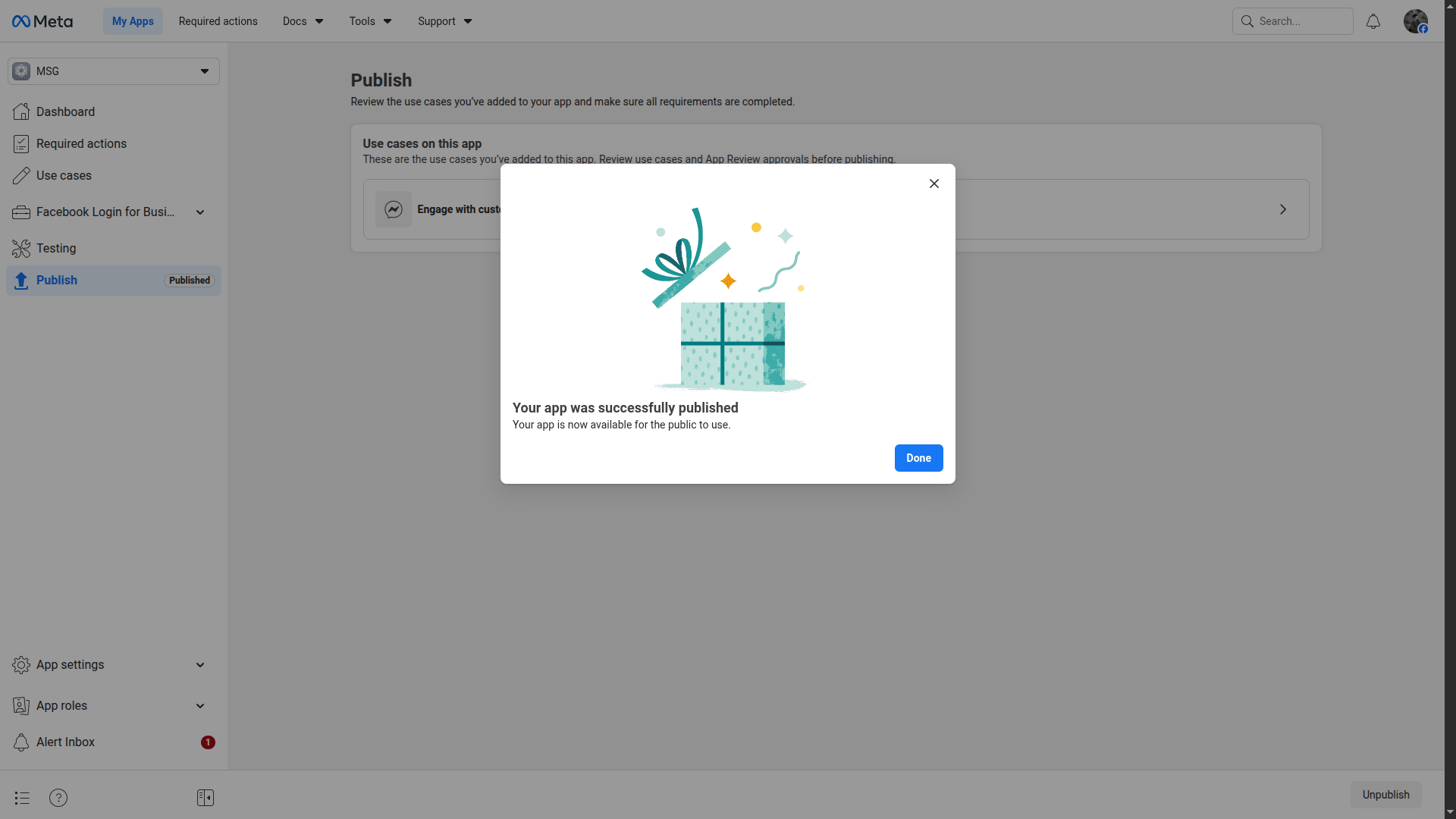
App successfully published
⚠️
Keep your App Secret confidential. Do not share it publicly or include it in client-side code.